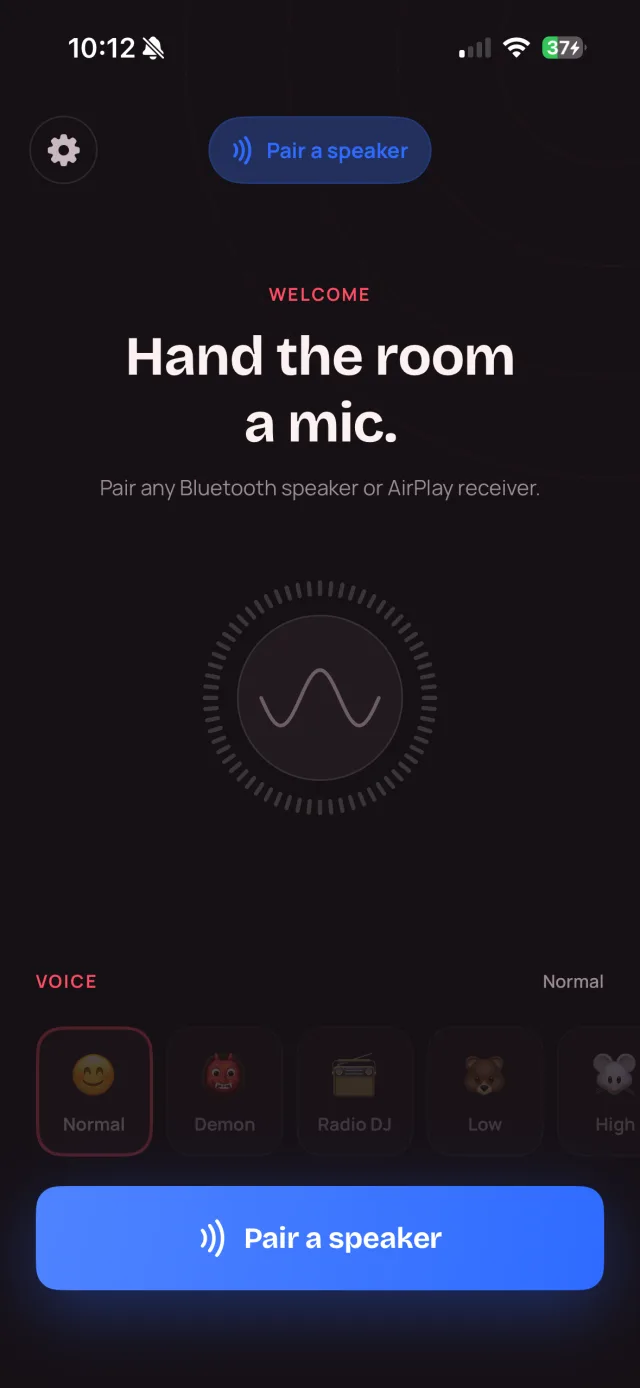
on the App Store
73 ratings
no dongles, no mixer
“Does exactly what it's meant to. I tried loads of apps to turn my iPhone into a mic and stream to my speaker — this one's excellent and hasn't failed me once.”
4.4★
Average across 73 App Store ratings
14,000+
Downloads and counting
What it does
One tap from your voice to the room.
Everything you need to be the loudest — or the clearest — thing in the room.
Any Bluetooth speaker
Pair it once in iOS. JBL, Bose, a car stereo, a PA system — if it speaks Bluetooth, it's your stage.
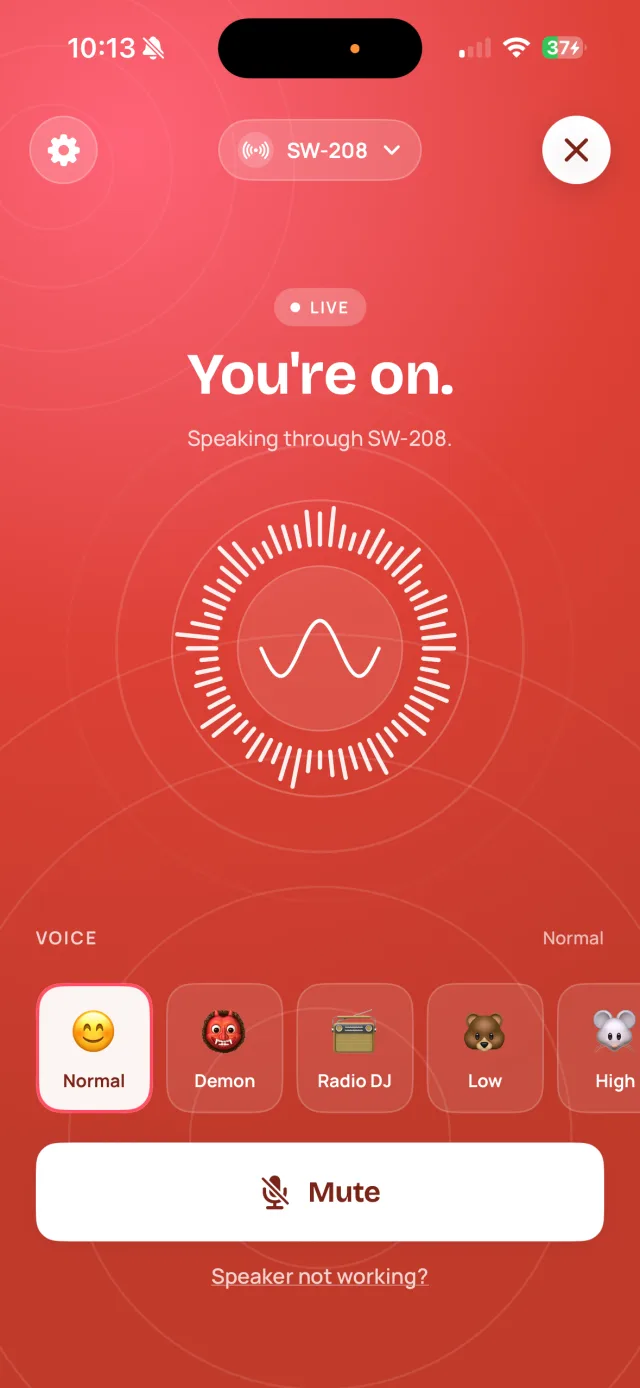
One-tap Go live
The moment your speaker connects, your voice is already routing. Tap Go live and you're on.
- PRO
Nine voice effects
Normal, Demon, Radio DJ, Robot, Alien and more. Free keeps Normal; Pro unlocks the whole cast.
Echo control that works
A feedback detector hears the howl starting and ducks the volume for you. Manual reduction on Pro.
Runs in the background
Lock the screen, switch apps, check a lyric — MyMic keeps broadcasting the whole time.
Speaker not working?
A built-in wizard re-routes your audio, plays a test tone, and gets you sounding again in seconds.
How it works
Three steps. About twenty seconds.
01
Connect your speaker
Pair any Bluetooth speaker in your iPhone settings, the way you always do.
02
Open MyMic, tap Go live
MyMic finds the speaker and starts routing the moment it connects.
03
Talk. Fill the room.
Your voice plays out the speaker, live. Mute, switch a voice, or lock your phone any time.
Three rooms
One app, wherever the mic gets passed.
Karaoke & parties
Pass the phone, not the mic. Nine voices, a live visualiser, and volume that fills the room.
Meetings & classrooms
Be heard at the back. Turn any conference speaker into a PA — no AV cart, no setup.
Family & kids
Big buttons, plain words. Story time, school plays, back-garden concerts — forgiving for small hands.
Pro · 8 of 9 voices
Nine ways to sound like someone else.
Normal is free forever. Pro turns your voice into a demon, a radio DJ, a chipmunk, a robot — live, straight out the speaker.
- NormalFREE
- DemonPRO
- Radio DJPRO
- LowPRO
- HighPRO
- RobotPRO
- AlienPRO
- ChipmunkPRO
- BuzzyPRO
Pricing
Free to be heard. Pro to have fun.
The mic is free forever. Pro adds the voice effects and manual echo control — pick the billing that suits you.
Free
£0forever
The mic, for good.
- Go live on any Bluetooth speaker
- Normal voice
- Automatic echo ducking
- Background broadcasting & live visualiser
MyMic Pro
Everything unlockedAll nine voice effects + the manual echo-reduction slider. One purchase, every feature.
- LifetimePay once, yours for good£39.99BEST VALUE
- YearlyBest for regular nights£24.99/yr
- WeeklyJust for the party£1.99/wk
Good to know
Questions, answered plainly.
Which speakers work with MyMic?
Any Bluetooth speaker your iPhone can pair with — a JBL, a Bose, a car stereo, a PA system — and AirPlay receivers such as a HomePod or an AirPlay soundbar. You connect it in iOS the usual way, and MyMic routes your voice straight to it.
Do I need any extra hardware?
No dongle, no mixer, no adapter. Just your iPhone and a Bluetooth speaker you already own.
Is it really free?
Yes — the mic, Go live, background broadcasting and automatic echo ducking are free forever. Pro (from £1.99/week) unlocks the nine voice effects and the manual echo-reduction slider.
Can I use my phone while I'm live?
Yes. MyMic keeps broadcasting in the background, so you can switch apps, check a setlist, or lock the screen and keep talking.
Does my voice get sent to a server?
No. Your voice is processed on your phone and goes straight to your speaker — it is never recorded or uploaded. The app sends anonymous crash and usage diagnostics so we can fix bugs, and nothing else. There is no account and no tracking.
Is there an Android version?
MyMic is on iPhone only for now (iOS 16.6 or later), available on the App Store.
Grab the mic. It's already in your pocket.
Free to download. One tap to go live. Any speaker in the room.